See it working
The actual app, on the actual screens
Real screenshots, not drawings of an app that does not exist yet. Walked through in the order a job actually runs — morning, quote, crew, invoice, end of month.
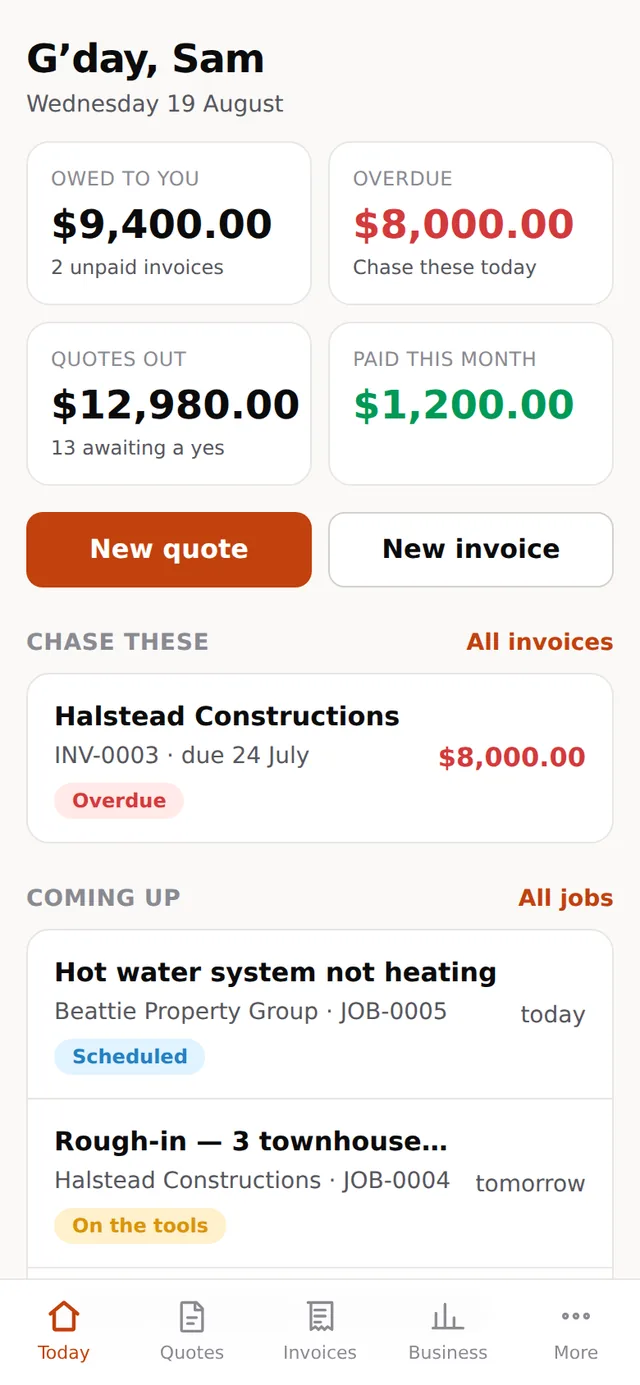
The whole business, one thumb
The screen that matters, because it is the one you use standing in somebody’s kitchen. Big targets, no menus to hunt through, and every screen usable with one hand while the other holds a torch.
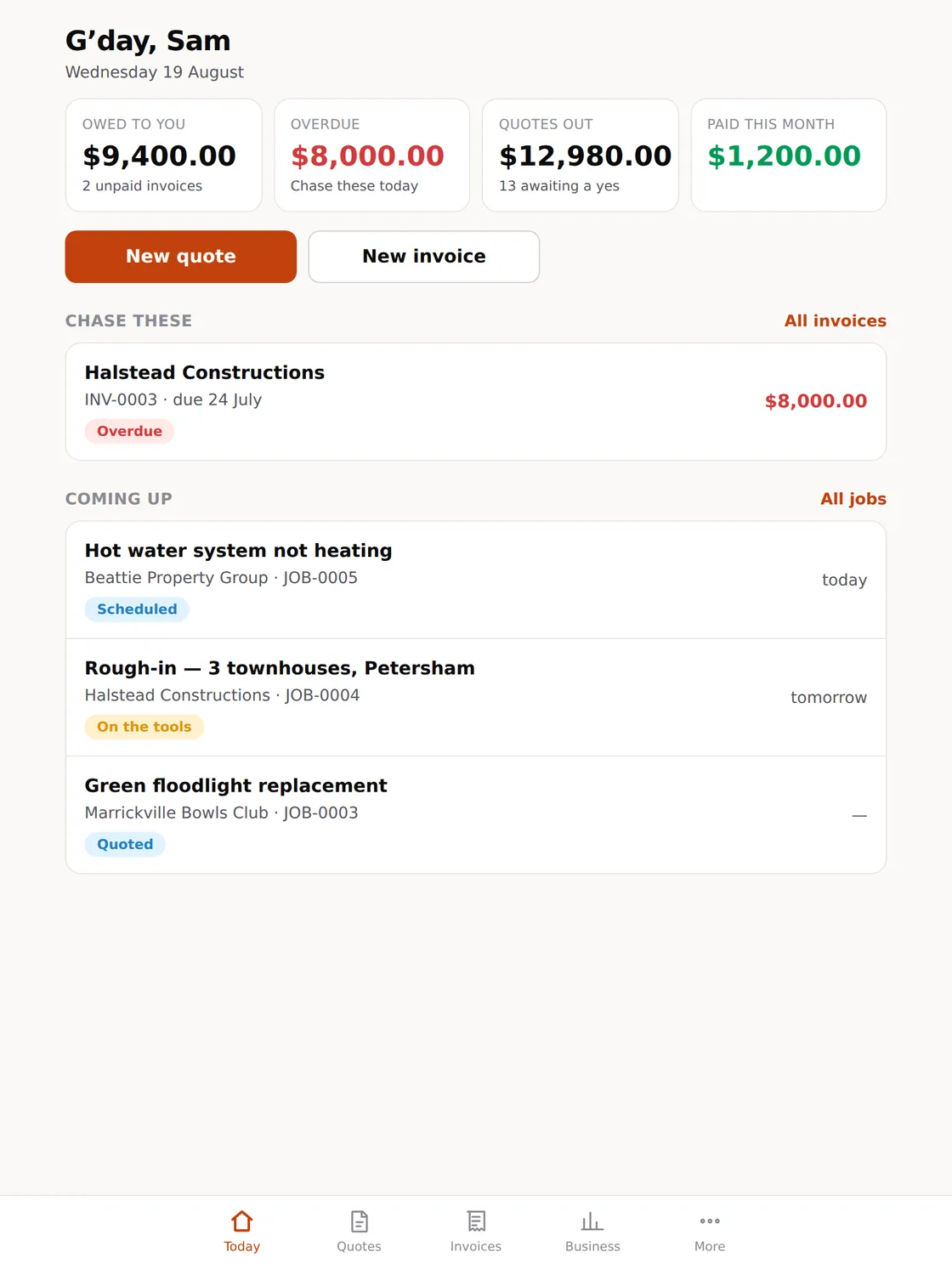
For the van, and the kitchen table
More on screen without becoming a spreadsheet. The size most people quote from when they are sitting down with a customer, and the size an office iPad ends up living at.
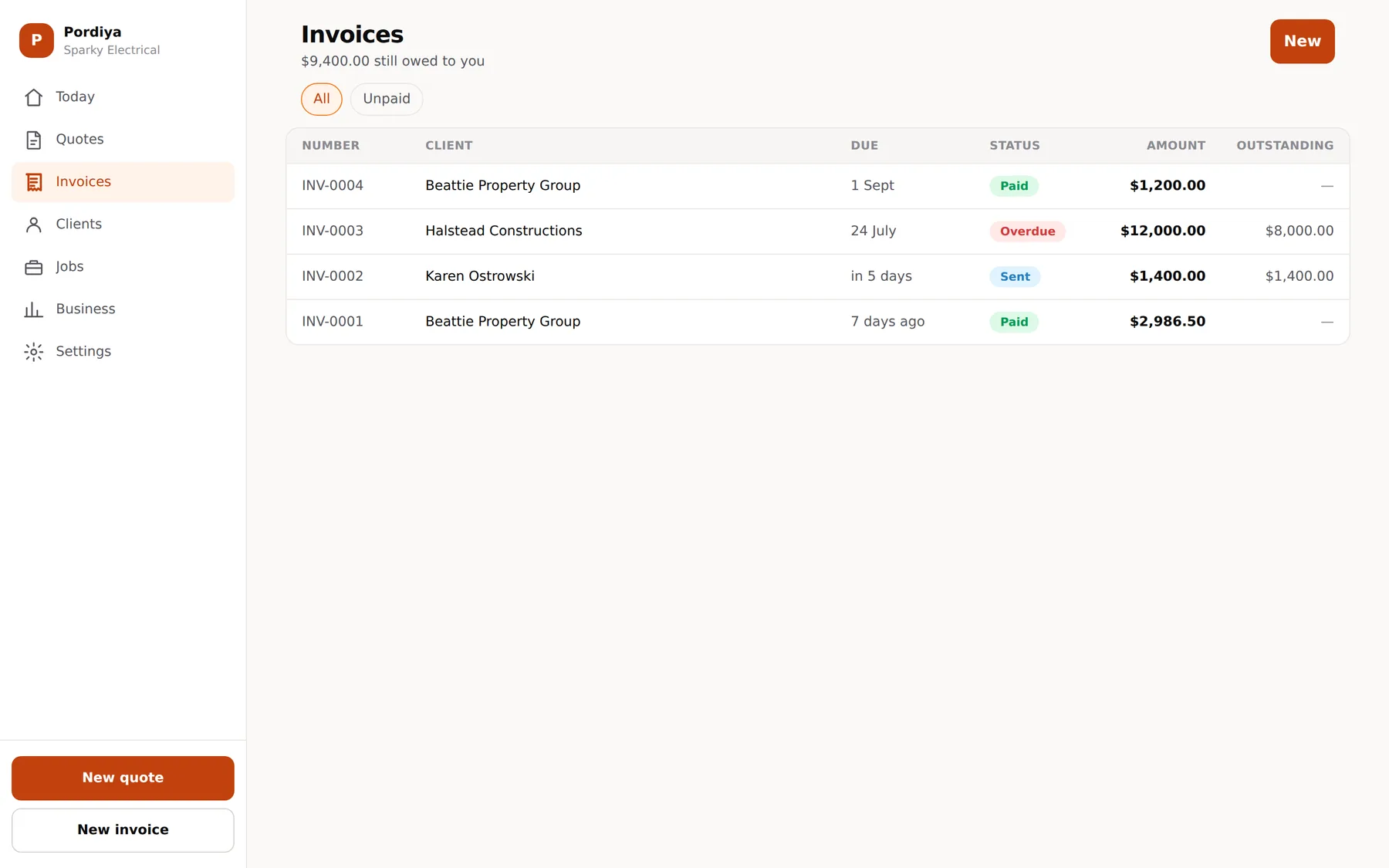
For the evening, and the end of the month
The same account, with room for the dense tables — every invoice, what is outstanding, who has not paid. Sidebar navigation instead of a tab bar, and columns you can actually scan.
A day, end to end
What Tuesday looks like
1
You open it in the morning
What you are owed, what is overdue, what is booked today. Not a dashboard you have to build — the four numbers that decide what kind of day it is, and the list of who to chase.
2
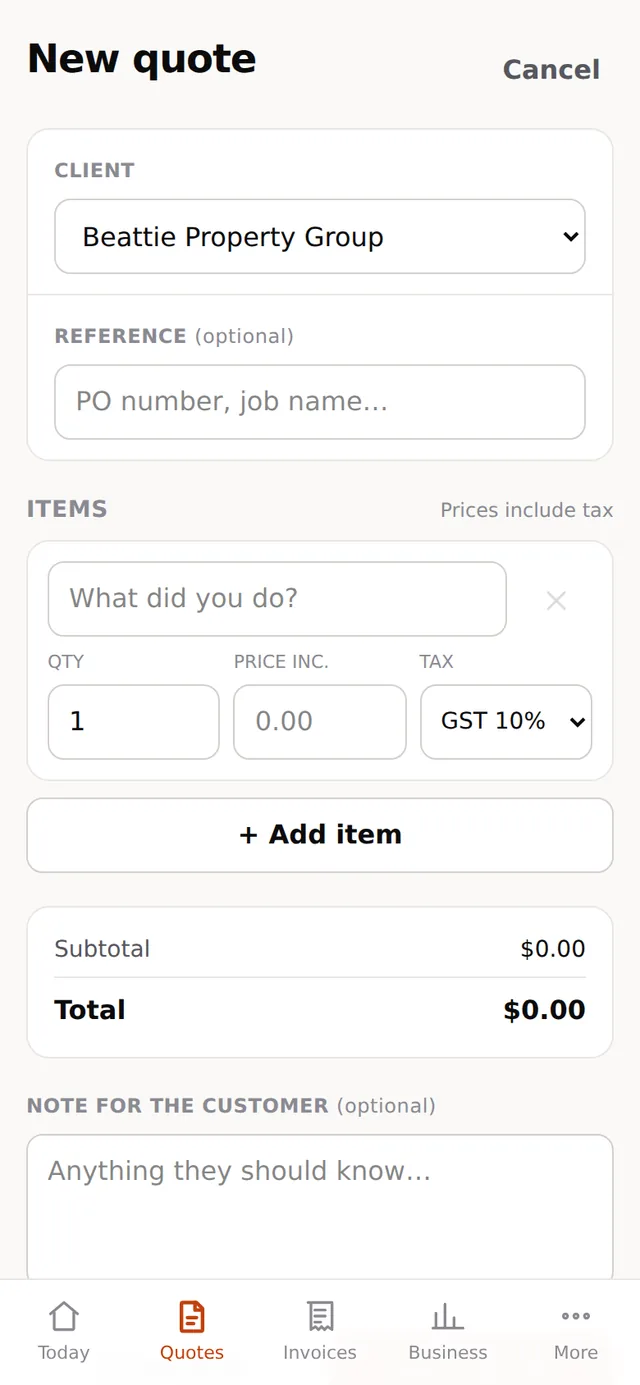
You quote at the door
Your rates and your usual materials are already loaded, so a quote is a few taps rather than a form. Tax is applied per line, so materials and labour can be treated differently on the same job. The customer gets a link and accepts with one tap.
3
The crew sees what is on
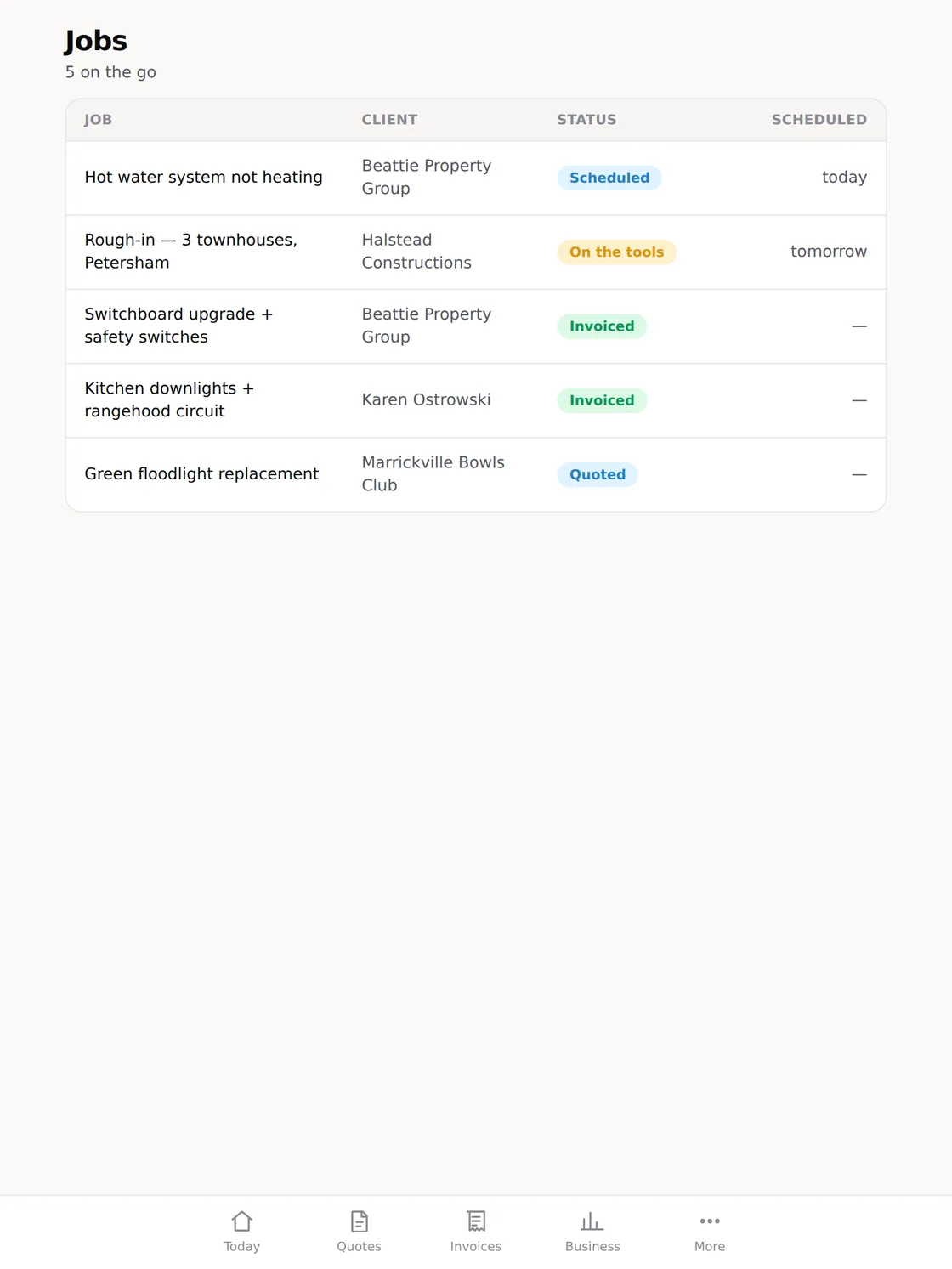
Jobs move around a schedule everyone on the account can see. Status is visible at a glance — quoted, scheduled, on the tools, done — so nobody rings at six in the morning to ask where they are going.
4
You invoice before you drive off
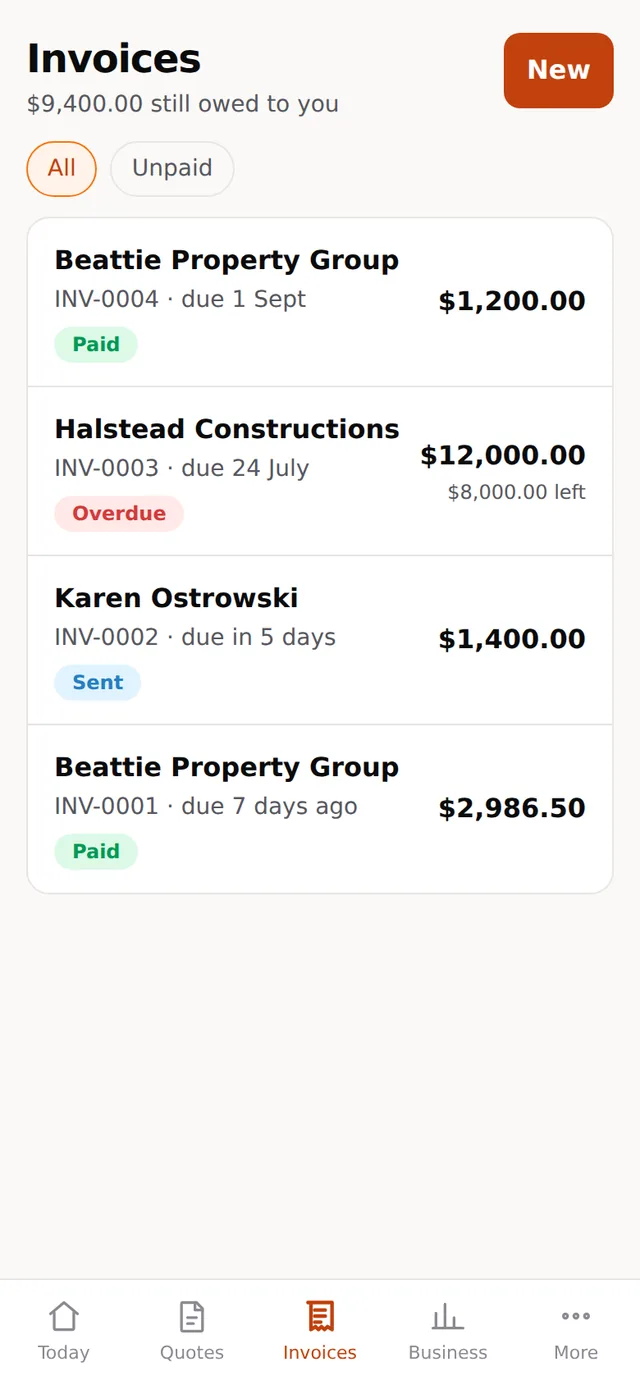
The finished job becomes an invoice in two taps, with the numbering your tax office expects. The customer can pay from the link, and the reminders chase the slow ones so you do not have to make that call.
5
You check the month at the kitchen table
Same account, bigger screen, denser tables. What was quoted, what converted, what is still outstanding and who is slow. Export it and your bookkeeper stops asking.
Or just open it
The free plan needs no card and takes about ten minutes to set up properly. That is a faster way to find out whether this suits you than any demo, including ours.